


Pressmark
Self-hosted RSS aggregator with a public community feed.
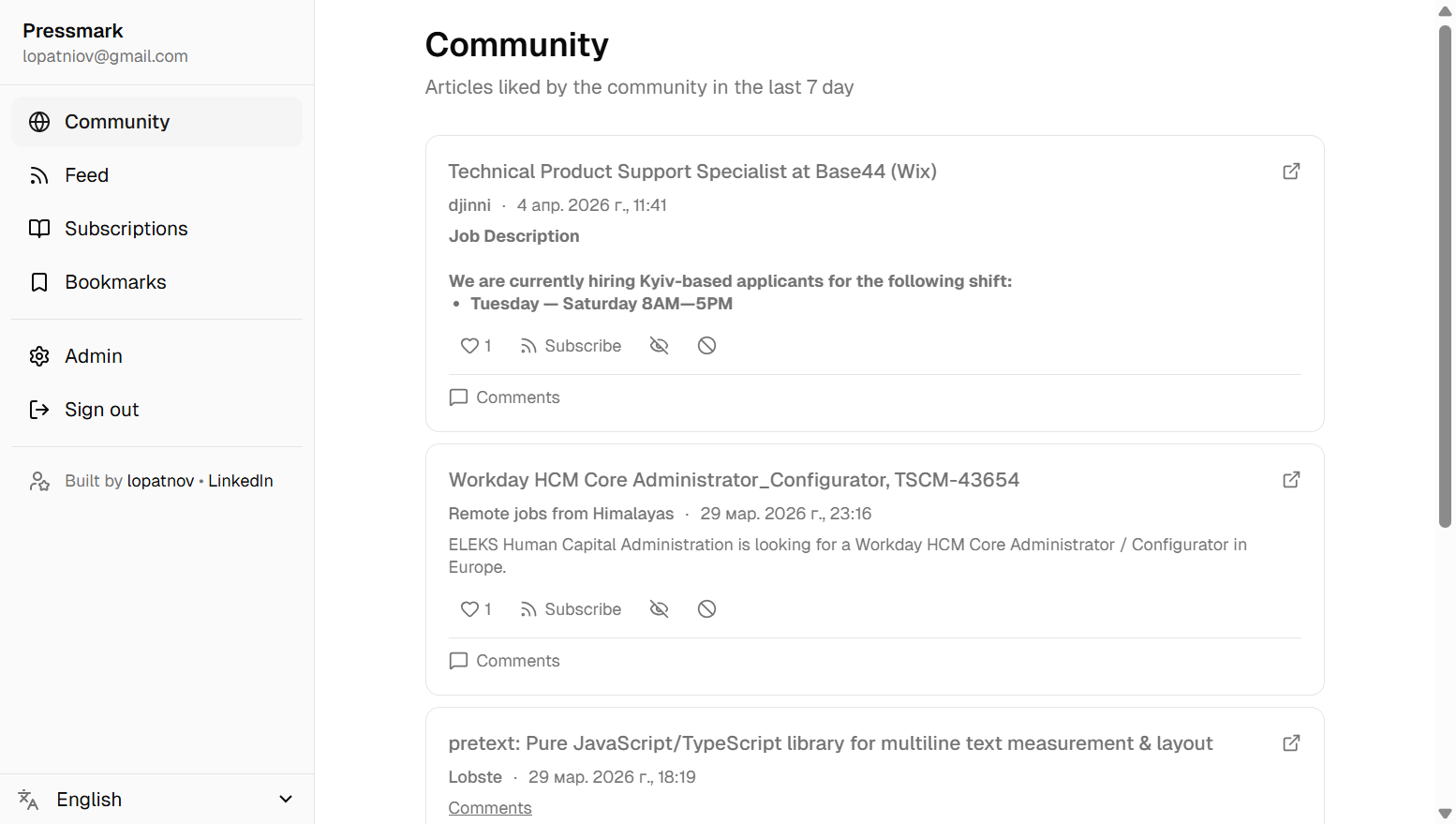
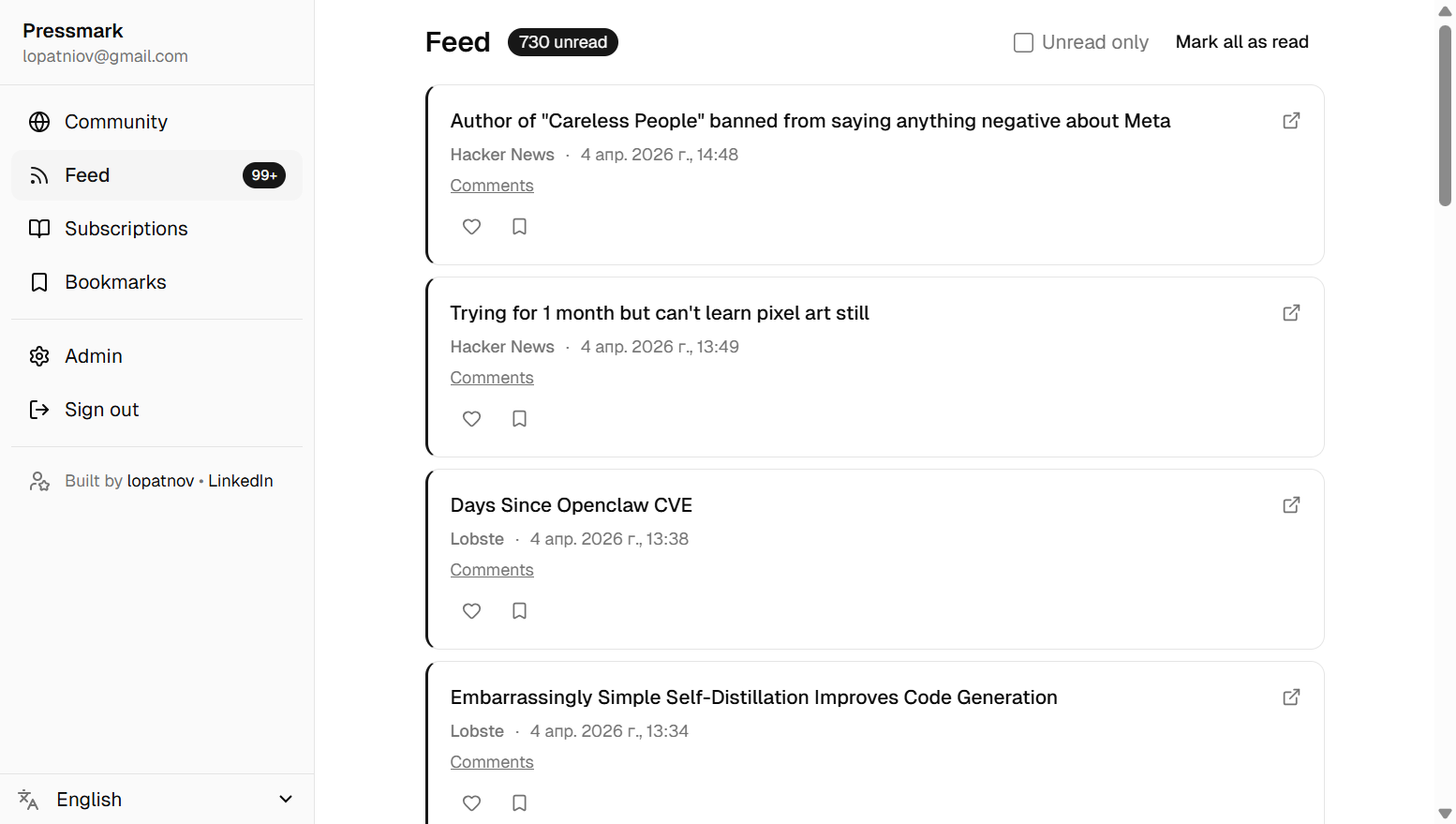
Subscribe to RSS sources, get your personal chronological feed, like and bookmark articles. The public community page — articles liked by users — is open to anyone without an account.
Screenshots
| Community | Feed |
|---|---|
 |
 |
| Subscriptions | Bookmarks |
|---|---|
 |
 |
Features
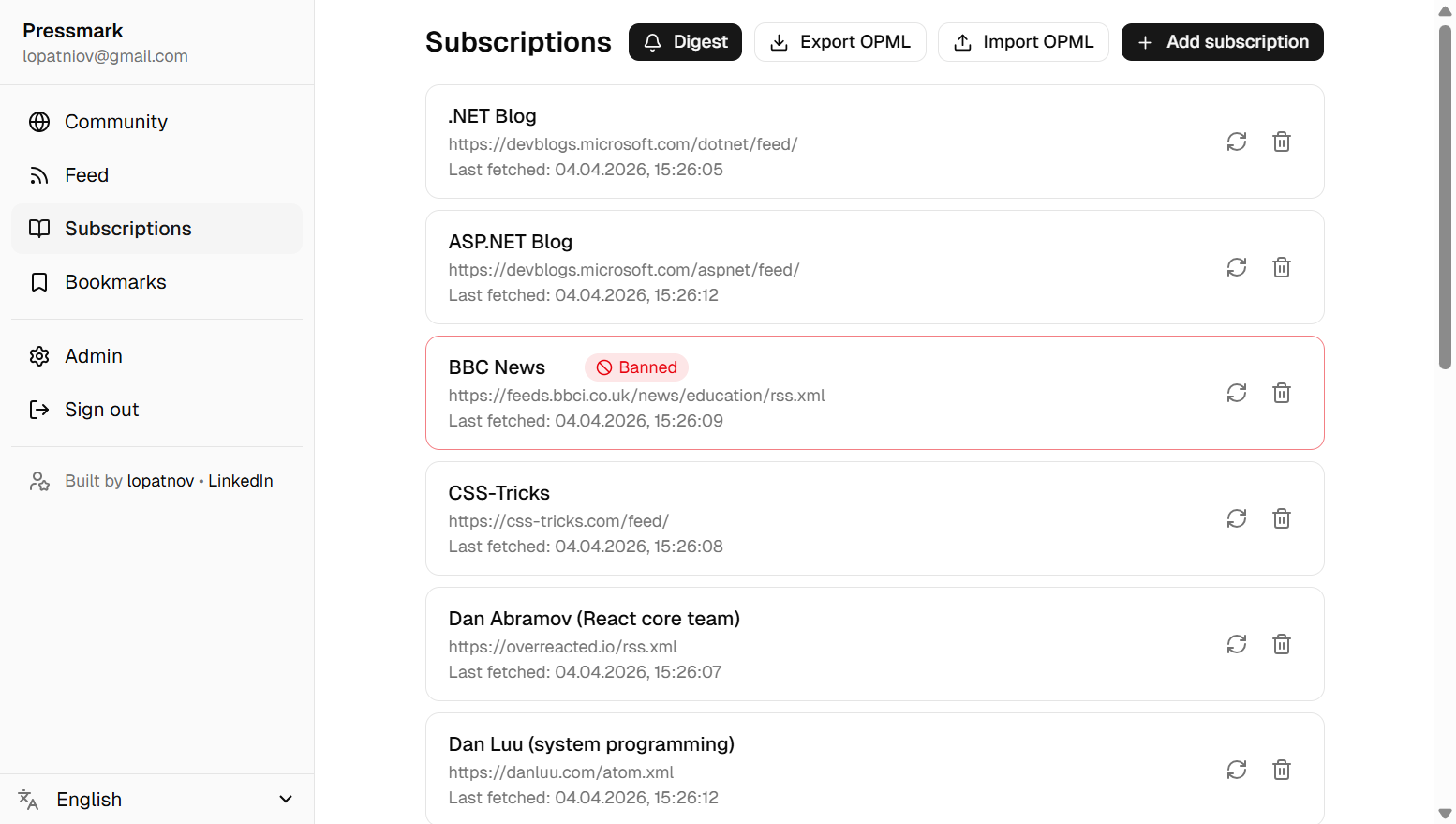
- Personal feed — subscribe to any RSS source, track read/unread status
- Public community page — top-liked articles from the last N days, visible without an account
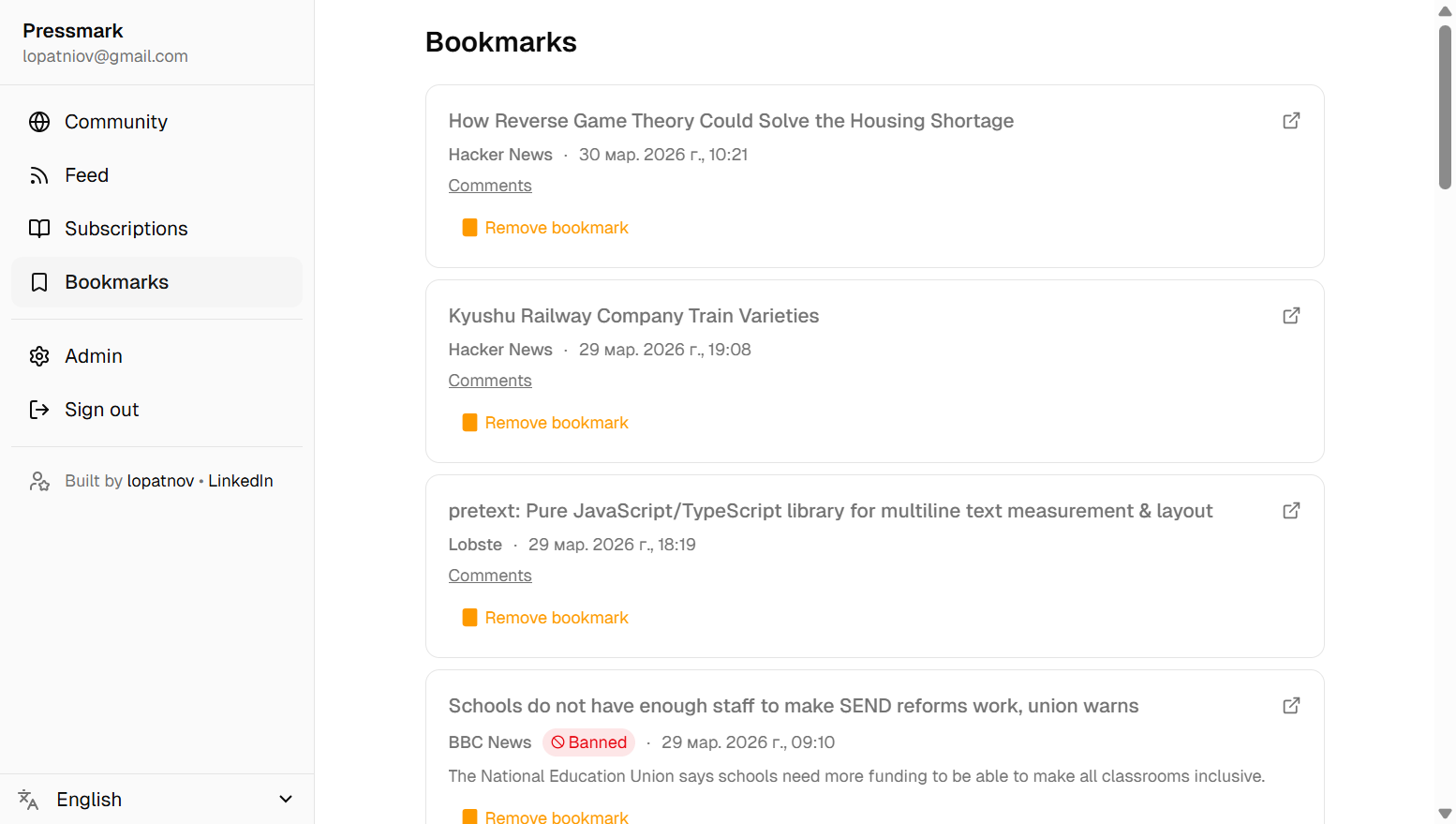
- Like & bookmark — like articles to surface them on the community page; bookmark privately for later
- Admin panel — configure site name, site description, community window, moderate content, view user list
- SEO-ready —
sitemap.xml,robots.txt, Open Graph and Twitter Card meta tags, gzip compression, long-lived cache headers for static assets - One-command setup —
docker compose upstarts the full stack - Invite-only mode — optionally restrict registration (configurable in admin)
- Comments — discuss articles with other users; subscribe to per-article comment threads for email notifications
- Daily digest — opt-in daily email with the top community articles (configured per-user in Subscriptions)
Tech Stack
| Layer | Technology |
|---|---|
| Backend | .NET 10 · ASP.NET Core · gRPC (Grpc.AspNetCore) |
| Frontend | React 19 · TypeScript (strict) · Vite |
| UI | TailwindCSS v4 · shadcn/ui · lucide-react |
| State | Zustand |
| Forms | react-hook-form + zod |
| i18n | react-i18next (18 locales) |
| API transport | gRPC-web (@connectrpc/connect-web, no Envoy needed) |
| Database | MSSQL · EF Core 10 (Code First) |
| Authentication | JWT — access token in memory + httpOnly refresh cookie |
| Infrastructure | Docker · Docker Compose · nginx |
| CI/CD | GitHub Actions |
Local Development
Prerequisites: .NET 10 SDK · Node.js 22
You need a running MSSQL instance — either local or Docker:
| Setup | Host port | How to get MSSQL running |
|---|---|---|
| Docker | 1434 |
docker compose up db -d (requires Docker) |
| Local MSSQL installed | 1433 |
Already running — change port to 1433 in launchSettings.json and launch.json |
The default connection string (sa / Dev_Password1!) targets Docker on port 1434 and is pre-configured in launchSettings.json and .vscode/launch.json.
If using a local SQL Server instance, change 1434 → 1433 in ConnectionStrings__Default in both files.
Migrations are applied automatically on startup — no manual dotnet ef step required.
Option A — VS Code (recommended)
- Open the repo folder in VS Code.
- Install recommended extensions when prompted (
.vscode/extensions.json). - Ensure MSSQL is running:
- Docker — open the Command Palette (
Ctrl+Shift+P) → Tasks: Run Task → db: start. This runsdocker compose up db -dand maps MSSQL tolocalhost:1434. - Local MSSQL installed — already running on
localhost:1433; change the port inlaunchSettings.jsonand.vscode/launch.json(1434→1433).
- Docker — open the Command Palette (
- Select Full Stack (API + Vite) and press F5.
This runs the .NET API with the debugger attached and launches the Vite dev server. Breakpoints work in both the C# and TypeScript code simultaneously.
Option B — terminal
# 1. Ensure MSSQL is running
#    Docker:       docker compose up db -d  (available at localhost:1434)
#    Local MSSQL:  already running at localhost:1433 — update port in launchSettings.json

# 2. Start the API (migrations apply automatically on first run)
dotnet run --project src/Pressmark.Api
# gRPC server at http://localhost:5000
# Check that server started at http://localhost:5000/health

# 3. Start the frontend  (separate terminal)
cd src/pressmark-web
npm install
npm run dev
# Open http://localhost:5173
# Vite proxies /grpc/*, /api/*, /sitemap.xml, /robots.txt → http://localhost:5000
Connecting a database client
Once the Docker MSSQL container is running (docker compose up db -d), connect with any SQL client:
| Setting | Value |
|---|---|
| Server | localhost,1434 |
| Login | sa |
| Password | Dev_Password1! |
| Trust server certificate | Yes |
Compatible tools: Azure Data Studio, SSMS, DBeaver, DataGrip.
Debugging tips
Backend (C#):
- VS Code attaches the .NET debugger automatically via
launch.json. - To attach to an already-running process: Run → Attach to Process → select
dotnet. - Structured logs appear in the Debug Console; set
Logging:LogLevel:DefaulttoDebuginappsettings.Development.jsonfor verbose output.
Frontend (TypeScript):
- Vite source maps are enabled in dev mode — set breakpoints directly in
.tsxfiles inside VS Code. - gRPC-web calls use plain HTTP/1.1 and are visible in the browser Network tab as POST requests to
/grpc/<ServiceName>/<MethodName>. - The Zustand devtools middleware exposes all store state in the Redux DevTools browser extension.
Deployment
Prerequisites: a Linux server (or any host) with Docker and Docker Compose installed.
Option A — Build from source
1. Clone the repository
git clone https://github.com/lopatnov/pressmark.git
cd pressmark
2. Configure environment variables
A .env file with development defaults is included in the repository. It works out of the box for local use. Before deploying to production, edit .env and change:
| Variable | What to set |
|---|---|
MSSQL_SA_PASSWORD |
Strong SA password (uppercase + lowercase + digit + symbol) |
JWT_SECRET |
Random secret, min 32 chars — openssl rand -base64 32 |
CORS_ALLOWED_ORIGINS |
Your public domain, e.g. https://your-domain.com |
The remaining variables in .env have sensible defaults and rarely need changing.
3. Configure the database
By default, docker-compose.yml starts a bundled MSSQL container.
If you prefer to use an existing database (Azure SQL, a managed server, or a local instance),
follow the instructions in the comments at the top of the db service in docker-compose.yml —
they walk through removing the bundled container and pointing the API at an external server.
The connection string format is:
Server=<host>,<port>;Database=pressmark;User Id=<user>;Password=<pass>;TrustServerCertificate=True
EF Core applies migrations automatically on startup. To run them manually:
dotnet ef database update --project src/Pressmark.Api
4. Start the stack
docker compose up -d
This starts:
- db — Microsoft SQL Server
- api — .NET gRPC server (applies migrations on startup)
- web — nginx serving the React SPA and proxying
/grpc/*to the API - db-backup — daily SQL Server backup (writes
.bakfiles to a Docker volume)
Open http://your-server-ip. The first registered account automatically becomes Admin.
5. HTTPS (recommended)
The nginx config and Docker Compose file contain commented-out instructions for enabling TLS:
nginx/nginx.conf— uncomment theserver { listen 443 ssl; ... }block and fill in your certificate paths.docker-compose.yml— uncomment the"443:443"port mapping in thewebservice.
Certificates can be obtained via Let’s Encrypt / certbot and mounted as a read-only volume into the web container (see the comment in nginx/nginx.conf).
Option B — Pre-built images (no git required)
Two images are published to the GitHub Container Registry on every release:
pressmark-api and
pressmark-web.
This is the quickest way to get Pressmark running — no source code or build step required.
Note: this example compose file covers the minimal setup: database, API, and web. It does not include automatic database backups or HTTPS configuration — add those when you need them.
The example uses
:latest. For reproducible production deployments, pin a specific version tag, e.g.ghcr.io/lopatnov/pressmark-api:1.0.0.
1. Create a working directory
mkdir pressmark && cd pressmark
2. Create docker-compose.yml
services:
  db:
    image: mcr.microsoft.com/mssql/server:latest
    environment:
      ACCEPT_EULA: "Y"
      SA_PASSWORD: "${MSSQL_SA_PASSWORD}"
    volumes:
      - mssql_data:/var/opt/mssql
    healthcheck:
      test:
        [
          "CMD",
          "/opt/mssql-tools18/bin/sqlcmd",
          "-S",
          "localhost",
          "-U",
          "sa",
          "-P",
          "${MSSQL_SA_PASSWORD}",
          "-C",
          "-Q",
          "SELECT 1",
        ]
      interval: 10s
      timeout: 5s
      retries: 10

  api:
    image: ghcr.io/lopatnov/pressmark-api:latest
    environment:
      ConnectionStrings__Default: "Server=db,1433;Database=pressmark;User Id=sa;Password=${MSSQL_SA_PASSWORD};TrustServerCertificate=True"
      Jwt__Secret: "${JWT_SECRET}"
      Jwt__ExpiryMinutes: "15"
      Jwt__RefreshExpiryDays: "7"
      Jwt__RefreshCookieName: "refresh_token"
      Cors__AllowedOrigins: "${CORS_ALLOWED_ORIGINS}"
      RssFetcher__IntervalMinutes: "15"
      RssFetcher__MaxItemsPerFeed: "50"
    ports:
      - "5000:8080"
    healthcheck:
      test: ["CMD", "curl", "-sf", "http://localhost:8080/health"]
      interval: 15s
      timeout: 5s
      retries: 5
      start_period: 30s
    depends_on:
      db:
        condition: service_healthy

  web:
    image: ghcr.io/lopatnov/pressmark-web:latest
    ports:
      - "80:80"
    depends_on:
      api:
        condition: service_healthy

volumes:
  mssql_data:
3. Create .env
MSSQL_SA_PASSWORD=change_me_strong_password
JWT_SECRET=change_me_random_secret_min_32_chars
CORS_ALLOWED_ORIGINS=http://your-server-ip
Generate a secure JWT secret with: openssl rand -base64 32
4. Pull images and start
docker compose pull
docker compose up -d
Open http://your-server-ip. The first registered account automatically becomes Admin.
Architecture
Browser
  │  gRPC-web (Connect protocol over HTTP/1.1)
  ▼
┌──────────────────────────────────┐
│  Dev:  Vite dev server  :5173   │
│  Prod: nginx            :80     │
│        /         → React SPA    │
│        /grpc/*   → API proxy    │
└──────────────┬───────────────────┘
               │
               ▼
┌────────────────────────────────────────────┐
│  .NET 10 gRPC Server  :5000               │
│  ├── AuthService        (Register/Login)   │
│  ├── SubscriptionService                   │
│  ├── FeedService        (feed, likes, …)   │
│  ├── AdminService       (role=Admin only)  │
│  ├── RssFetcherService  (polls RSS feeds)  │
│  ├── CleanupService     (prunes old items) │
│  └── DailyDigestService (email digests)   │
└──────────────┬─────────────────────────────┘
               │  EF Core (Code First)
               ▼
       Microsoft SQL Server
No Envoy proxy needed — app.UseGrpcWeb() on the .NET side handles the browser-to-gRPC translation.
Project Structure
pressmark/
├── proto/                    # gRPC contracts (source of truth)
│   ├── auth.proto
│   ├── subscription.proto
│   ├── feed.proto
│   └── admin.proto
├── src/
│   ├── Pressmark.Api/        # .NET 10 gRPC server
│   │   ├── Entities/         # EF Core entities
│   │   ├── Data/             # AppDbContext + migrations
│   │   ├── Services/         # gRPC service implementations
│   │   └── Program.cs
│   ├── Pressmark.Api.Tests/  # xUnit + Moq
│   └── pressmark-web/        # React SPA (Vite)
│       └── src/
│           ├── pages/        # CommunityPage, FeedPage, AdminPage, …
│           ├── components/   # UI components, Sidebar, AppLayout
│           ├── store/        # Zustand stores
│           ├── router/       # Routes, ProtectedRoute, AdminRoute
│           └── i18n/         # Locale files
├── nginx/nginx.conf           # Prod: static SPA + gRPC proxy
├── docker-compose.yml
└── .vscode/                   # Launch configs + recommended extensions
Environment Variables
| Variable | Default | Description |
|---|---|---|
ConnectionStrings__Default |
(required) | MSSQL connection string |
Jwt__Secret |
(required) | JWT signing secret — min 32 chars, change this! |
Jwt__ExpiryMinutes |
15 |
Access token lifetime (minutes) |
Jwt__RefreshExpiryDays |
7 |
Refresh token lifetime (days) |
Jwt__RefreshCookieName |
refresh_token |
Name of the httpOnly refresh cookie |
Cors__AllowedOrigins |
http://localhost:5173 |
Allowed CORS origins |
RssFetcher__IntervalMinutes |
15 |
How often to poll RSS feeds |
RssFetcher__MaxItemsPerFeed |
50 |
Maximum items fetched per feed per poll |
App__BaseUrl |
http://localhost:5173 |
Public base URL — used in email links (password reset, comment notifications, digest) and in sitemap.xml / robots.txt |
Running Tests
# Backend
dotnet test

# Frontend (TypeScript type-check + build)
cd src/pressmark-web && npm run build
Adding a Migration
dotnet ef migrations add <MigrationName> --project src/Pressmark.Api
dotnet ef database update --project src/Pressmark.Api
Contributing
Contributions are welcome! Please read CONTRIBUTING.md before opening a pull request.
- Bug reports → open an issue
- Found it useful? A star on GitHub helps others discover the project
License
GNU General Public License v3.0 © 2026 Oleksandr Lopatnov · LinkedIn